
Introduction
Two Solutions for Escape Route Generation
This topic covers the two Solutions for Escape Route generation and explores Expanded RTE (Classic Solution) and Prioritized DCT (New Solution).
We estimate that this will take 10 minutes to complete.
Introduction
This topic introduces Escape Routes, which are flight paths designed to keep aircraft safely clear of terrain and guide them to a suitable airport. These paths are used during emergencies like engine failure or rapid decompression. Learners will explore why these routes matter, how they are calculated, and how they display in N-Flight Planning (NFP).
By the end of this module, you will understand the two key solutions used to create Escape Routes. These soultions are: Expanded Route (RTE) (Classic Solution) and Prioritized Direct (DCT) (New Solution). You will see how each method identifies safe descent paths, and maintains terrain clearance.
Detailed Explanation
Two Solutions for Escape Route Generation
When planning flight routes, ensuring terrain clearance and identifying safe descent paths during engine failure or rapid decompression are critical. These routes guide the plane safely to a lower altitude and a suitable airport.
Two key solutions are used to handle these situations:
- Expanded RTE (Classic Solution)
- Prioritized DCT (New Solution).
Both determine safe paths to alternate airports but differ in how they calculate and display Escape Routes.
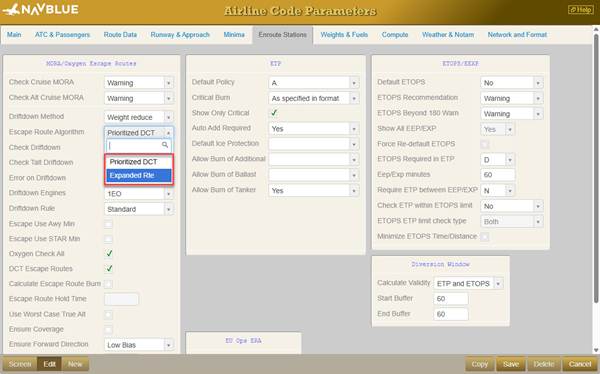
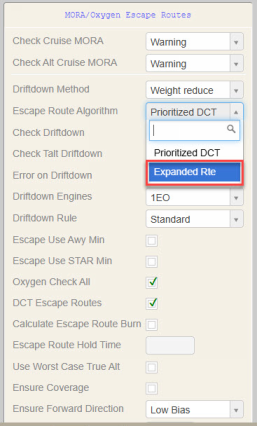
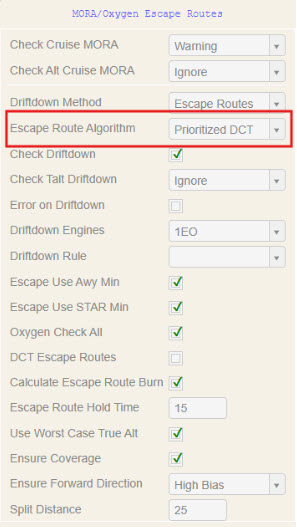
Note: The Escape Route solution—either Expanded RTE or Prioritized DCT—is selected in the Airline Code Parameters menu, under the MORA/Oxygen Escape Routes section, in the Escape Route Algorithm field.
Expanded RTE (Classic Solution)
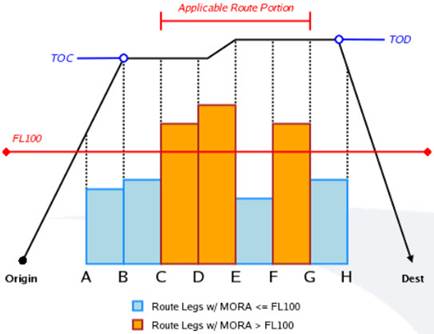
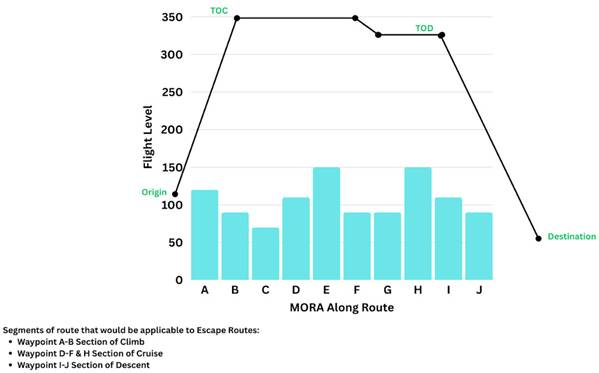
Expanded RTE is the first method used for calculating safe Escape Routes. It checks waypoints along the route where terrain exceeds a Minimum Off-Route Altitude (MORA) of 10,000 feet. If needed, it provides an escape path for a viable route, using either airways or coordinates to reach a safe airport.
How it works
- Evaluates route waypoints where MORA is above 10,000 feet.
- Generates lateral paths that clear terrain to the nearest safe airport (non-direct flight paths to airport).
- Provides details such as Airway Distance (AWY), Great Circle Distance (GCD), and Time (in minutes) to reach the airport.
- Does not include Flight Level (FL), Speed, or Descent Profiles.
- Optional fuel information can be added.
- Does not consider weather and/or obstacles.
- Escape Route stations and Excluded stations can be decided and selected by the Airlines.
- There is a Minima Check, however, Dispatchers must manually verify available runways and equipment.
Expanded RTE (Classic Solution) - Example
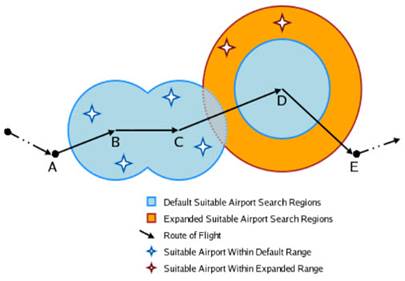
Suppose waypoints ABCDEFGH are along the planned route. If waypoint C has terrain exceeding 10,000 feet (high MORA), N-Flight Planning (NFP)'s Expanded RTE flags it and searches for a safe route to a nearby airport. The path will often be indirect with multiple segments, following airways or coordinates and avoiding terrain, until it reaches the Escape Route airport.

 Click Flight number 1315.
Let's begin by creating a route using the Expanded RTE solution.

 Click the Route tab.

 Click the Optimum route table cell.

 Click the Apply button.
 Click the Compute button.
 Click the Plan tab.
REMINDER
Please keep in mind that the tab that opens after clicking "Compute" depends on system settings configured by your Administrator.
For this example, the Flight Plan is generated and opens automatically.
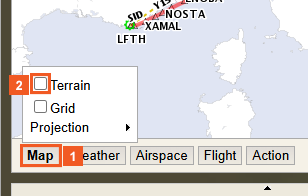
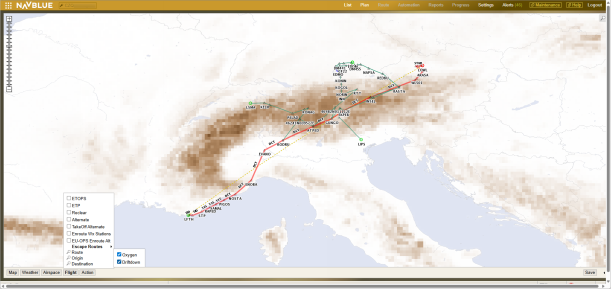
 Click the Map button.
 Click the Terrain check box.
 Click the Map expansion arrow button.
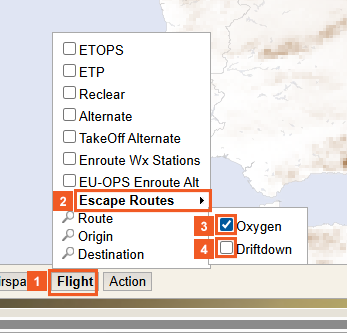
 Click the Flight button.
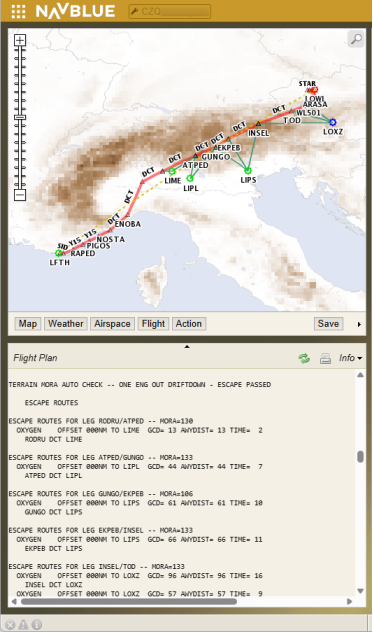
 Click the Escape Routes list item.
 Click the Oxygen check box.
 Click the Driftdown check box.
 Please click Next to continue.
 Click the Map minimization arrow button.
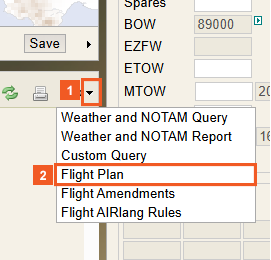
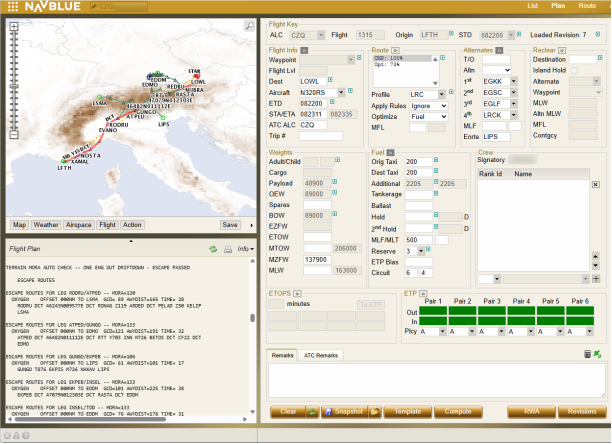
 Click the Info arrow (dropdown) button.
 Click the Flight Plan list item.
In this example, the page has already been scrolled down.
Use the scroll bar to view all available Escape Routes (scroll down) or navigate to previously viewed ones (scroll up).
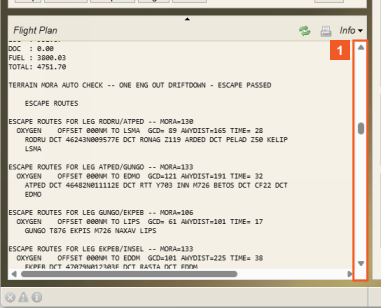
 Click the Flight Plan scroll bar.
As you can see, scrolling down displays additional Escape Routes.
SUCCESS
Congratulations! You have successfully used the Expanded RTE solution to create an escape path, ensuring a safe and viable route to an airport using either airways or coordinates.
Issues with Expanded RTE
Below are a few issues with the Expanded RTE solution:
- Generates unnecessary Escape Routes when they are not needed (MORA below FL 100).
- Produces complicated, not operationally feasible paths in emergencies.
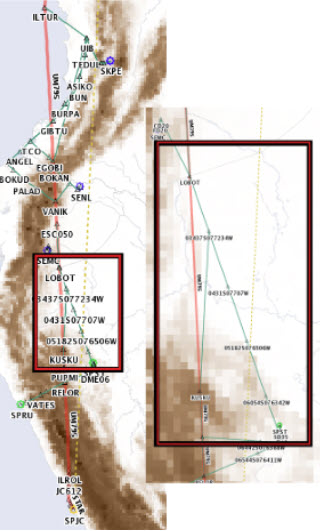
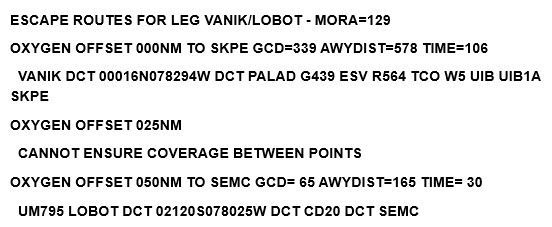
- Frequent failures when it can not ensure coverage between points.
- Warning(s) or error message(s) frequently triggered (depends on customer system configuration).
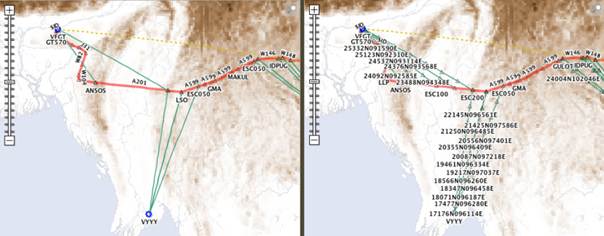
Example: Failed Escape Route
The Flight Plan below is depicted in the image to the right (Map Screen):
Prioritized DCT (New Solution)
The new solution, Prioritized DCT, introduces a more efficient, and clear approach. It impacts the way Escape Routes are created focusing on simplicity and operational feasibility by providing direct routes, better readability, and more reliable results.
Logic and Features
- Does not only look at MORA thresholds
- Generates direct (DCT) paths (no airways) straight to the selected viable airport
- Includes Speed Profiles for improved accuracy and transparency.
- Does not include FL, or Descent Profiles
- Displays AWY, GCD, Time (in minutes), and optional fuel details to reach the airport
- Reviews the remaining portion of the planned route and advises if suitable FL is feasible to reach initial destination.
- Provides Escape Routes for all phases of flight, not just cruise
- Does not consider weather or obstacles on-route (weather for Escape Routes airport is checked).
Why it is Better
- Displays routes clearly in the Flight Plan (easier to read)
- Higher success rate in generating Escape Routes
- Simplified procedures for emergencies by using direct paths
- Increased optimization and flexibility in route planning.
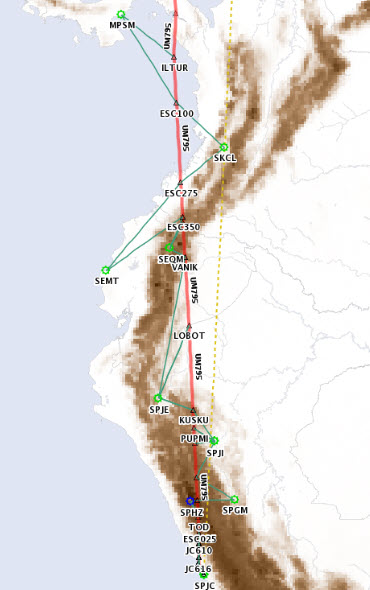
Prioritized DCT (New Solution) - Example
Using the same ABCDE route, if the aircraft has an engine failure or rapid decompression near waypoint C, Prioritized DCT immediately creates a straight path to a selected suitable airport. The Flight Plan looks much cleaner as the path displays as a direct line rather than complicated instructions which are difficult to input into an Flight Managment System (FMS), therefore making it easier to read and execute in emergencies.
We will use the same flight as before, flight number 1315 from LFTH to LOWL to demonstrate the Prioritized DCT (New Solution).

 Click the Maintenance tab.
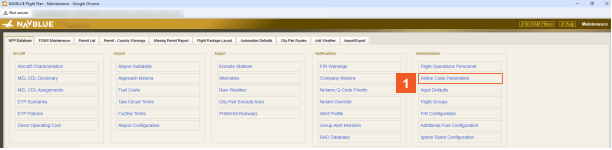
 Click the Airline Code Parameters list item.
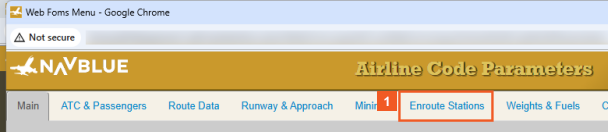
 Click the Enroute Stations tab.
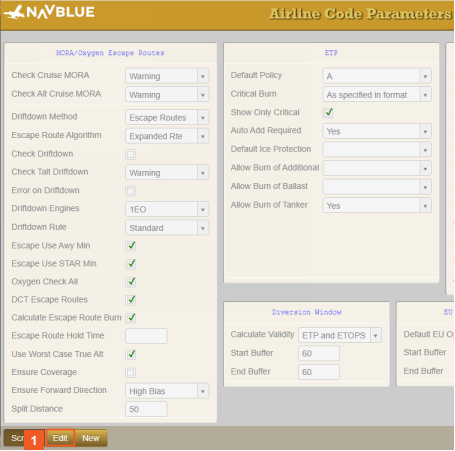
 Click the Edit button.
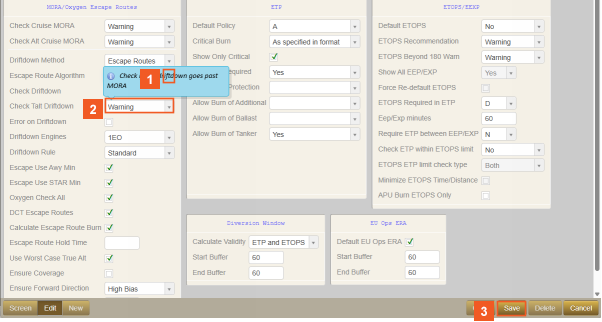
 Click the Escape Route Algorithm dropdown button.
 Click the Prioritized DCT list item.
 Click the Save button.
 Click the Close button.
 Click the Close button.
 Click the List tab.
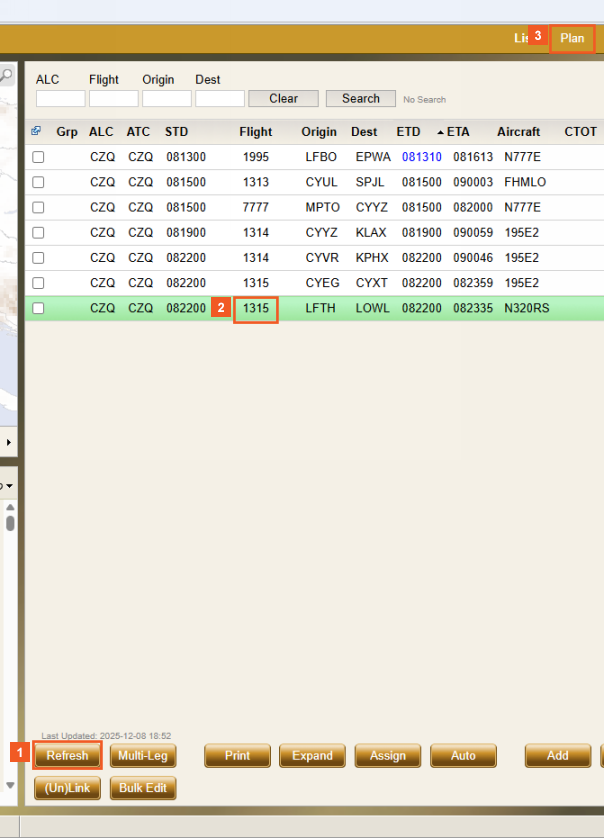
 Click the Refresh button.
Clicking the "Refresh" button on the List screen applies any changes made in the Maintenance menu and updates the data that displays.
 Click Flight number 1315.
 Click the Plan tab.

 Click the Compute button.
 Click the Plan tab.
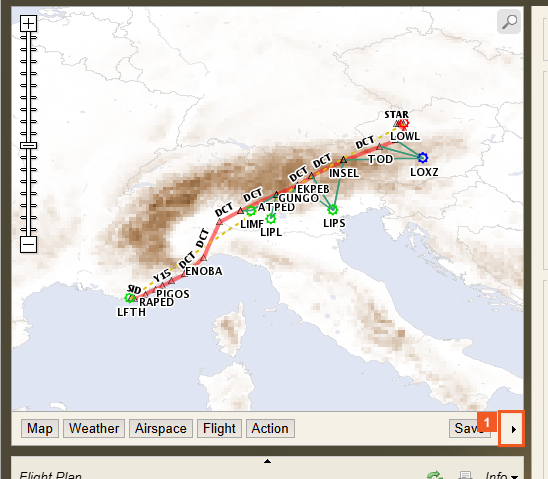
 Click the Map expansion arrow button.
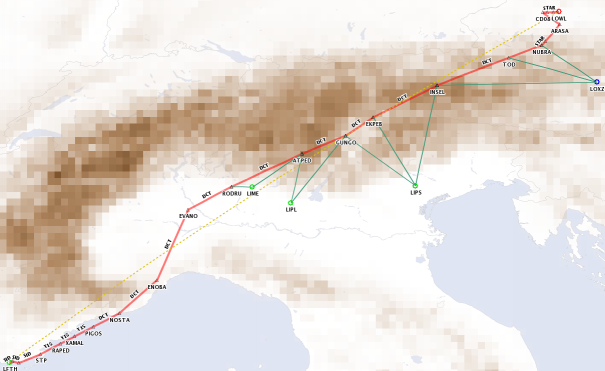
As shown, multiple Escape Routes are generated for Pilots to choose from.
 Please click Next to continue.
 Click the Map minimization arrow button.
SUCCESS
Congratulations! You have successfully applied the new Prioritized DCT (Direct) solution. This solution enhances the process of creating Escape Routes through a simpler, more efficient, and operationally feasible approach. Delivering clearer and more reliable results.
- Escape Route MORA Validation
Escape Route Minimum Off Route Altitude (MORA) Validation
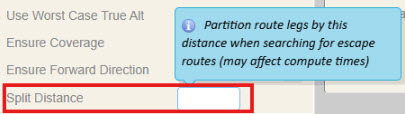
The MORA is checked at regular intervals along both the main route and the Escape Routes, according to the Split Distance (NM) parameters defined in the Airline Code Parameters.
To maintain route clarity and readability, coordinate details for each check do not display on the Map or Flight Plan. However, a “DCT to indicated airport” path is validated to ensure it remains within the defined thresholds.
If diversion to an airport is not possible later due to MORA constraints in a leg or on a subsequent leg, a new diversion airport is automatically selected.
When no suitable airport can be reached at an acceptable flight level, a warning or error message is generated during the compute process.
REMINDER
The Split Distance you enter decides how far the MORA checks are performed along the Escape Route. Note: The minimum Split Distance allowed is 25, which results in the most frequent MORA checks.