
Introduction
Oxygen Escape Routes
This topic provides an introduction to Oxygen Escape Routes, which are predefined flight paths used to maintain aircraft safety during events such as cabin decompression. These routes guide the aircraft to lower altitudes where passengers can breathe oxygen normally.
We estimate that this will take 10 minutes to complete.
Introduction
Escape Routes are planned flight paths that ensure aircraft safety during emergencies like cabin decompression. They are designed using normal engine performance and cruise speed, allowing safe navigation to lower altitudes where passengers can breathe normally.
By the end of this module, you will understand how Escape Routes enhance safety awareness, decision-making, and confidence in handling inflight emergencies. The process includes route calculation, Oxygen Endurance checks, MORA verification, and terrain assessment.
Oxygen Escape Route
Escape Routes are based on normal engine power and the plane’s usual flying speed. These routes are computed using cruise profiles assuming all engines are operating normally, reflecting the aircraft’s performance capabilities. This ensures the Escape Route remains viable under typical conditions.
One of the most critical emergency scenarios is related to oxygen supply and is known as Rapid Decompression. This occurs when the pressurized cabin suddenly loses pressure, causing the cabin oxygen levels to drop sharply. When Rapid Decompression occurs, oxygen masks deploy automatically to ensure passengers can breathe. Oxygen Escape (OE) routes provide a safe lateral alternative path where the MORA allows continued flight at or below flight level (FL) 100 until landing at a safe airport. At this altitude, passengers keep breathing oxygen without supplemental oxygen, until the aircraft can land at a suitable airport. Additionally, MORA checks at specific time points along the Escape Route ensure Oxygen Endurance requirements are met (oxygen supply time is enough).
Note: Terrain elevation may prevent immediate descent to lower altitudes, therefore, Escape Routes are carefully created to navigate through or around such terrain, minimizing risk.
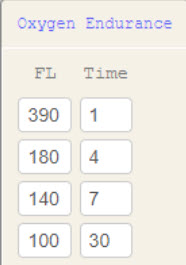
Oxygen Endurance Table
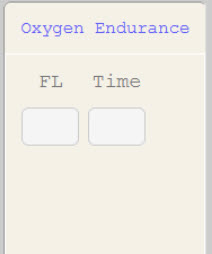
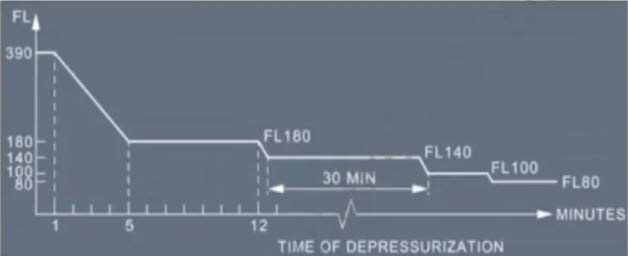
The aircraft’s oxygen system has a limited supply, so it is important to get to a lower altitude quickly. The Oxygen Endurance table defines how long the aircraft’s oxygen supply can sustain passengers (safely breathe) at various FLs after decompression. As FL increases, the atmosphere thins, making the air thinner and reducing available oxygen both inside and outside the aircraft. This means that the oxygen supply lasts for shorter durations at higher FLs. In other words, the higher the plane's altitude, the thinner the air is and the less oxygen is available, so the oxygen runs out faster. At FLs, the onboard oxygen system can support passengers for a longer duration.
At altitudes below 10,000 feet, passengers breathe normal air without supplemental oxygen and pressurization is not required. The goal is to descend to or maintain altitude at or below this level safely and quickly to ensure adequate oxygen availability.
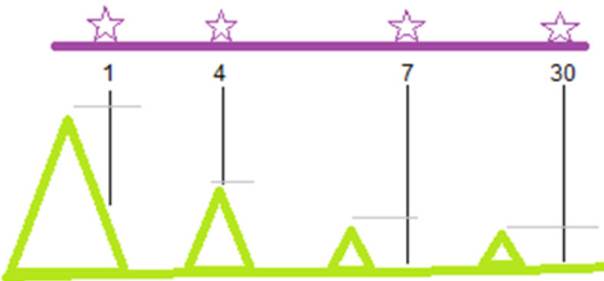
When planning these Escape Routes, N-Flight Planning (NFP) looks for a safe path from the planned route. These routes deviate laterally from the planned path and check the Minimum Off-Route Altitude (MORA) at regular intervals along this path. By maintaining the selected cruise speed profile and FL, the aircraft reaches an area where MORA is below FL 100 within the time limits set by the Oxygen Endurance table (ensuring oxygen supply).
Note: The Oxygen Endurance table is provided by the aircraft manufacturer.
ATTENTION
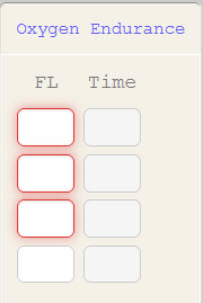
When the Oxygen Endurance table is not populated, the additional rows do not appear. Any rows that remain blank and are not removed highlight in red.
Oxygen Escape Route - Example
The times shown are non-cumulative:
- After 1 minute, flight must not exceed FL 390. Though this altitude is high, most airway minimums are below (MORA) this, so it typically does not limit flight.
- After 5 minutes, flight must remain at or below FL 180.
- After 12 minutes, flight must remain at or below FL 140.
- After 42 minutes, flight must remain at or below FL 100.
These steps reflect the changes in oxygen supply depending on the FL, and the need to descend to FL where supplemental oxygen is no longer necessary.
Note: Descent is not a factor in Escape Route calculations. Escape Routes are purely lateral paths showing the distance the aircraft can cover at the selected cruise speed and altitude. In other words, Oxygen Escape Routes only measures how far the plane can fly, not how fast it can descend.
Detailed Explanation
Using this example, we will generate a new route demonstrating an Oxygen Escape Route.
Using this example, we will generate a new route demonstrating an Oxygen Escape Route.
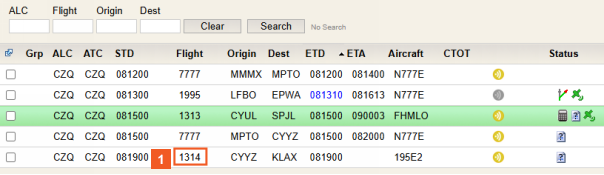
 Click Flight number 1314.
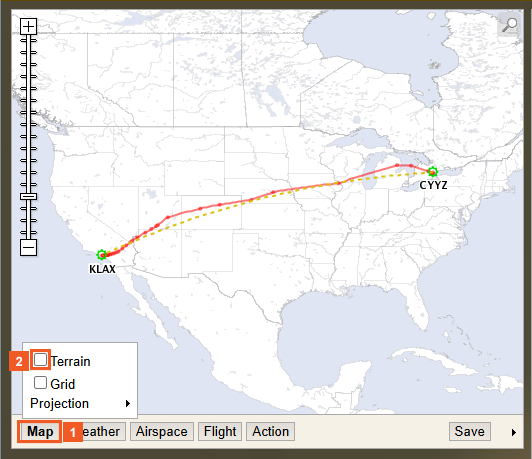
 Click the Map button.
 Click the Terrain check box.
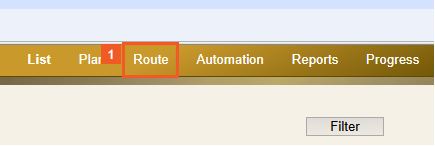
 Click the Route tab.
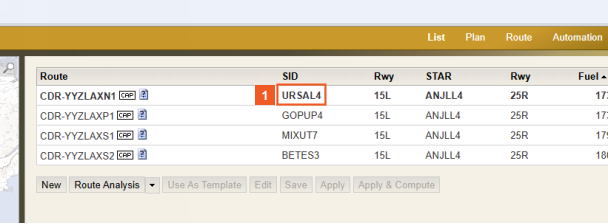
 Click SID URSAL4.
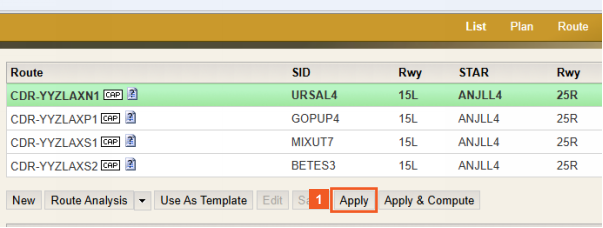
 Click the Apply button.
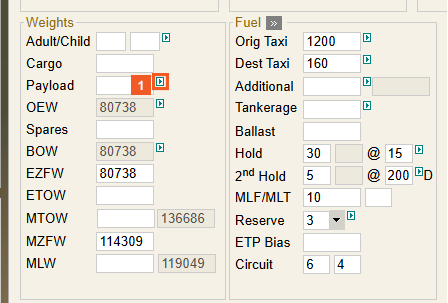
 Click the Payload expansion menu (green arrow) button.
In the Payload expansion menu, there are three options:
- Use specific payload: Is selected by default and is calculated as a specific number.
- Use maximum payload: When selected, the Pax, Cargo, and EZFW fields are disabled.
- Use preferred payload: When selected, the system calculates the Flight Plan with the provided payload amount or a lower system-determined max payload if unable to reach the preferred payload value.
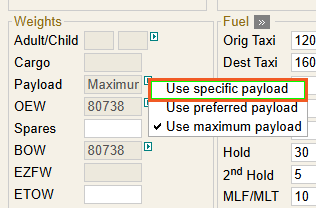
 Click the Use specific payload list item.
Be sure to note the warning message.
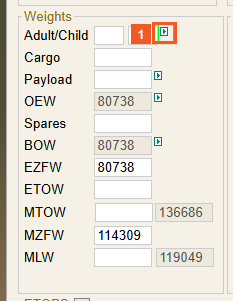
 Click Adults/Child expansion menu.
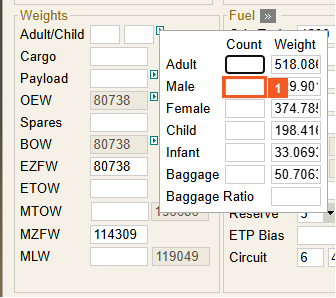
 Click the Male input field.
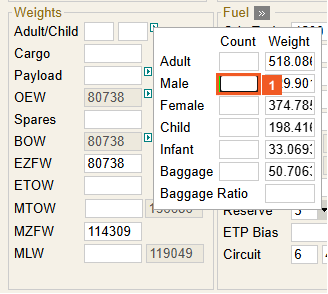
 Enter 20 into the Male field.
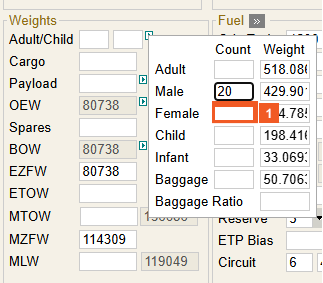
 Click the Female input field.
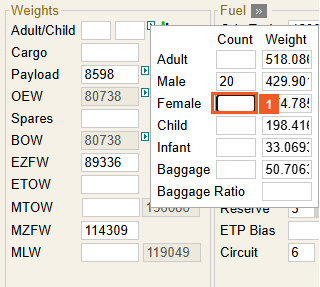
 Enter 50 into the Female field.
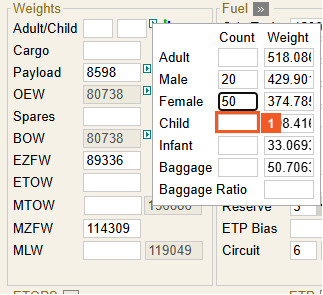
 Click the Child input field.
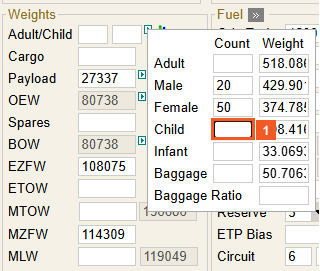
 Enter 5 into the Child field.
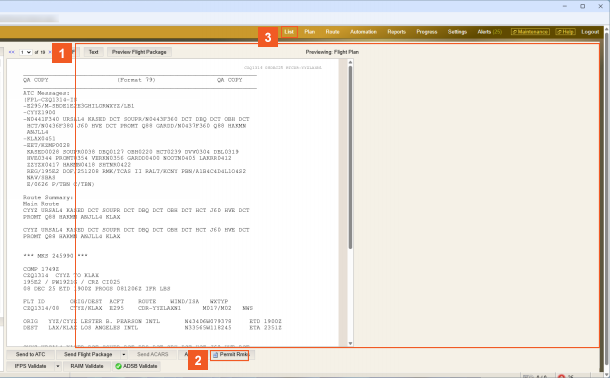
 Click outside the expansion menu.
HINT
To close the expansion menu, click anywhere outside it.
 Click the Compute button.
 Click the List tab.
 Click the Map expansion arrow.
HINT
To expand the map, click the arrow on the right below the map image.
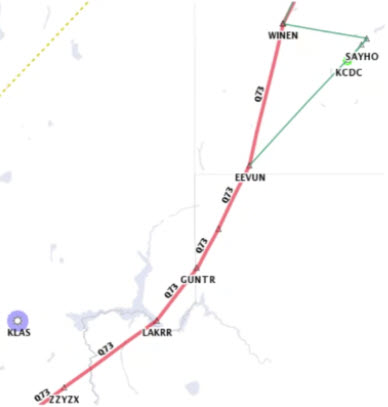
We will now add a filter option to display the Oxygen Escape Route on the map image.
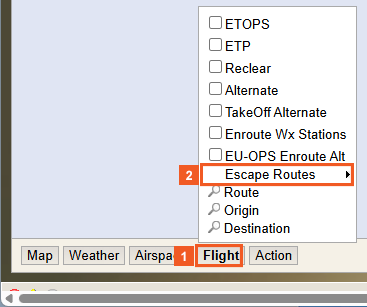
 Click the Flight button.
We wil now add a filter option to display the Oxygen Escape Route on the map image.
 Click the Escapes Routes list item.
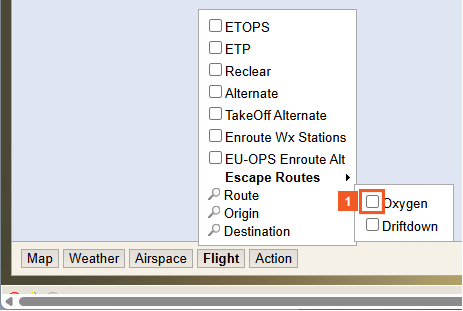
 Click the Oxygen check box.
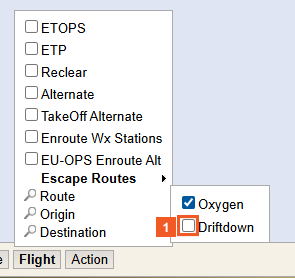
 Click the Driftdown check box.
Oxygen Escape Routes begin to display. For the purpose of this example, the routes are green.
HINT
To minimize the map, click on the map minimization arrow.
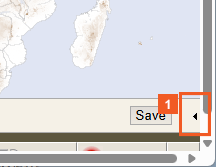
 Click the Map minimization arrow.
ATTENTION
If there are no Driftdown routes required, then none will display.
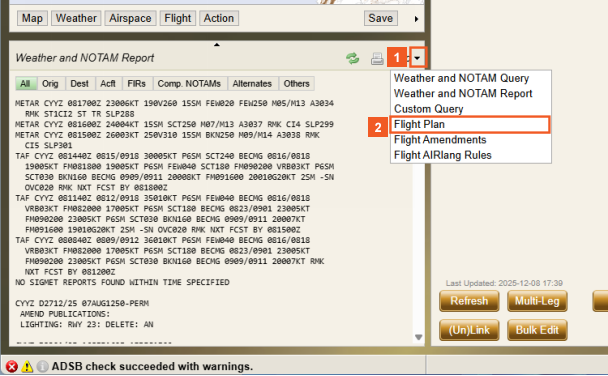
 Click the Info dropdown button.
 Click the Flight Plan list item.
 Please click Next to continue.
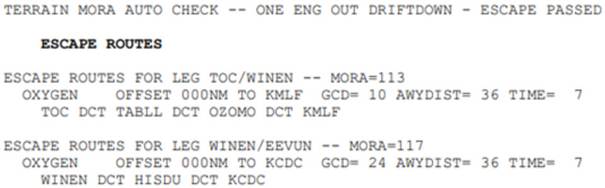
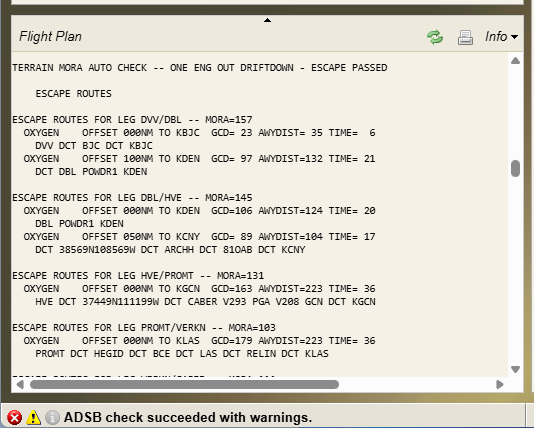
Below is a list of Oxygen Escape Routes.
MORA check is completed and states "ONE ENG OUT DRIFTDOWN - ESCAPE PASSED." Followed by Oxygen Escape Routes for the flight segments which requires them.This means that the Driftdown Escape Routes are not required and Oxygen Escape Route is successfully generated.
 Click the Flight Plan Info menu scroll bar.
HINT
Use the scrollbar to move down and view additional Oxygen Escape Routes, or scroll up to revisit previously viewed routes.
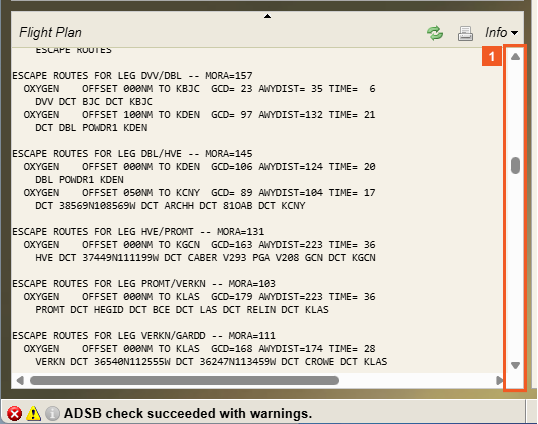
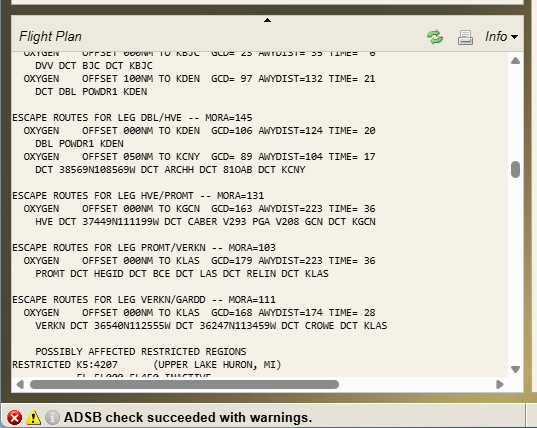
As you can see, additional Oxygen Escape Routes appear.
SUCCESS
Congratulations! You have successfully created a route with Oxygen Escape (OE) routes and gained a deeper understanding of how OE routes enhance safety awareness, support better decision‑making, and build confidence in managing inflight emergencies.
You also learned to perform route calculations, verify Oxygen Endurance, check MORA, and assess terrain effectively.
Key Takeaways
Key Takeaways for Oxygen Escape Routes:
- Generated due to depressurization scenarios
- Provides a safe path to an area where MORA allows continued flight at FL 100 until a safe airport is reached
- Areas of high terrain may not allow immediate descent
- Calculated using a cruise profile with all engines operative performance of your choosing.